Canva Template Notebook/Journal Cover14: Easy, Editable Designs
What Makes This Template Unique?
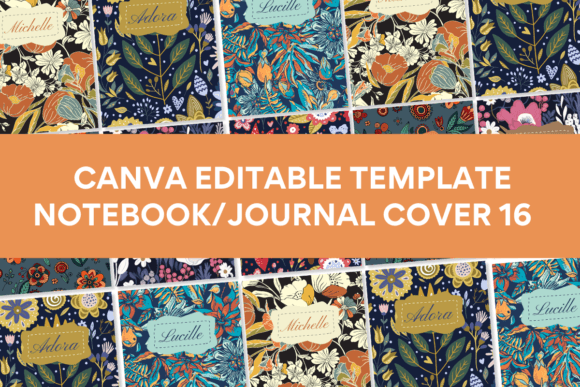
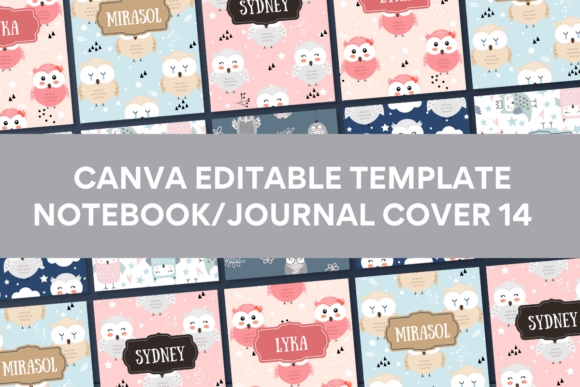
Canva Template Notebook/Journal Cover14 isn't just another set of pre-made designs. It's a thoughtfully crafted collection that balances modern aesthetics with practical usability. The visual personality here leans toward clean, contemporary styling with subtle artistic flourishes—think balanced layouts, intentional white space, and design elements that feel curated rather than cluttered.
What sets this particular template apart is that the majority of illustrations, design elements, photos, and backgrounds weren't pulled from Canva's standard library. That means you're getting a design that stands apart from the thousands of notebooks flooding Etsy, Amazon KDP, and local craft markets. When someone picks up your finished product, it won't look like five other journals sitting on the same shelf.
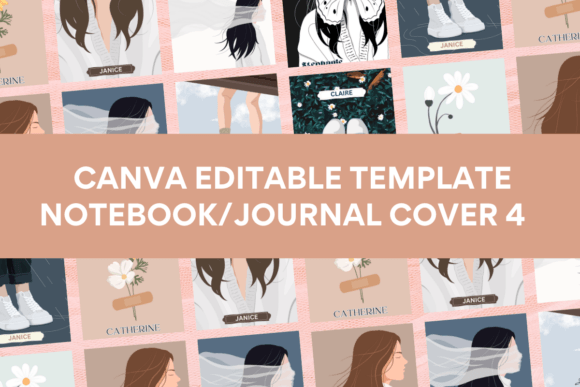
The ten included front cover designs give you genuine variety without feeling scattered. Some lean minimalist. Others incorporate richer visual textures. This range matters because it lets you match the template's personality to your specific audience—whether that's wellness journalers, bullet journal enthusiasts, gratitude practitioners, or business planners.
Who Benefits Most From These Designs?
Small business owners running print-on-demand operations will find real value here. Instead of spending hours designing from scratch or settling for overused templates, you receive ten polished starting points ready for customization. Change the text, adjust colors to match your brand identity, swap a few elements, and you have a product ready to list.
For those just entering the journal and notebook market, Canva Template Notebook/Journal Cover14 removes the intimidation factor. You don't need advanced design skills. You don't need a Canva Pro account. The free plan works perfectly fine, which keeps your startup costs minimal. You can even edit on your mobile phone—useful when inspiration strikes during your commute or lunch break.
Personal projects benefit equally. Maybe you want matching journals for a bridal party, custom notebooks for a workshop you're hosting, or a beautifully designed cover for your own daily writing practice. The 8 x 11 inch size works well for standard printing, whether you're using a home printer or sending files to a professional service.
Working With the Template: Practical Guidance
After purchasing, you'll receive a PDF containing the direct link to your Canva template plus clear editing instructions. The process is straightforward: click the link, open in Canva, and start customizing. Every element is editable—the text, colors, layout components, and decorative features.
A few practical recommendations for getting professional results:
- Start by choosing your strongest cover design from the ten options, then refine from there rather than trying to perfect all ten simultaneously.
- Test your final design at actual print size before committing to a print run. Colors and spacing can appear differently on screen versus paper.
- Consider your font choices carefully when customizing text. The template's original typography was selected to complement the visual style, so if you swap fonts, maintain similar weight and personality for visual hierarchy to stay intact.
- Keep the design's white space intact. It's tempting to fill every corner, but breathing room is what gives these covers their polished, professional feel.
Where These Covers Work Best
The designs in Canva Template Notebook/Journal Cover14 translate well across multiple contexts. For digital product sellers on platforms like Etsy, these covers give your listings a competitive edge in a crowded marketplace. The unique design assets mean fewer sellers are offering identical-looking products.
Publishers and content creators can use these for lead magnets, client gifts, or branded merchandise. A beautifully designed journal cover reinforces brand perception and professionalism—it signals that you care about quality details.
Crafters and hobbyists printing at home will appreciate that the 8 x 11 inch dimensions fit standard paper sizes with minimal adjustment. The designs are optimized for print clarity, so decorative elements and text render crisply even on consumer-grade printers.
Design Elements Worth Noting
The illustration style across these ten covers tends toward organic, hand-crafted aesthetics rather than rigid geometric patterns. This gives finished products an approachable, artisan quality that resonates with journal buyers who value authenticity. The background textures add depth without competing with foreground text and focal points.
Color palettes were chosen with versatility in mind. While you can customize every hue, the default combinations follow contemporary design trends—muted earth tones, soft pastels, and strategic pops of saturated color. These palettes photograph well for social media graphics, which matters if you're marketing your products on Instagram or Pinterest.
The overall composition follows sound editorial design principles. Focal points are clearly established, visual hierarchy guides the eye naturally, and there's enough flexibility to add your own branding elements without disrupting the design's balance.
Getting Started Today
There's no barrier to entry here. No specialized software. No monthly subscription. No design degree required. Canva Template Notebook/Journal Cover14 gives you professional-quality covers that you can personalize and have print-ready within an hour. Whether you're launching a product line, building a brand, or creating something meaningful for yourself, these templates provide a genuinely practical starting point that respects both your time and your creative vision.