Unlock Creative Freedom with the Slot Pocket Canva Frame Template
Welcome to a design toolkit that actually works for how you create. The Slot Pocket Canva Frame Template Set is built for makers, marketers, and small business owners who need customizable organizational tools without starting from zero. This isn't just another set of static graphics—it's a flexible system that adapts to your brand, your projects, and your workflow.
What Exactly Is a Slot Pocket Canva Template?
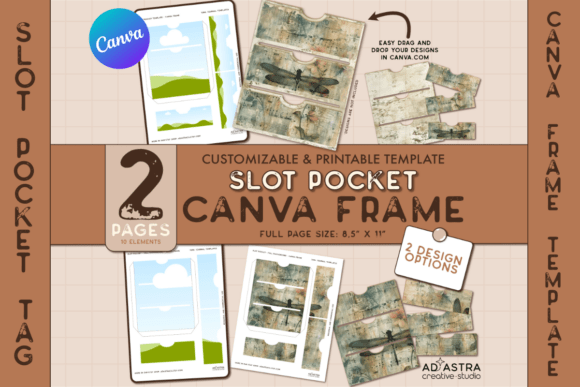
A slot pocket is a functional design element—a small tag, label, or insert with a slot or opening that allows it to slide onto folders, organizers, planners, or product packaging. Think of the tags you see on retail displays, the labels on handmade goods at craft fairs, or the personalized inserts in a wedding welcome box. The Canva Frame Template gives you pre-built versions of these slot pockets that you can edit directly in Canva's free editor.
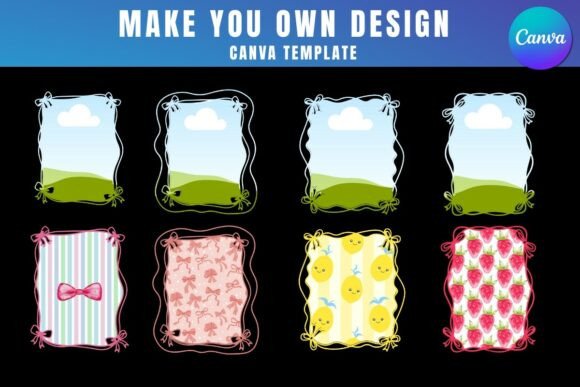
Visually, slot pockets tend to be compact and utilitarian. They carry a certain handmade, artisanal quality—something between a professional product label and a thoughtfully crafted DIY element. The template set includes two pages of customizable frames with adjustable inner frames and outlines, so you control the proportions, the visual weight, and the overall personality of each tag. You can keep them minimal and modern with clean sans serif typography, or lean into a more decorative aesthetic with script fonts and textured backgrounds. The design flexibility is genuinely broad.
Where Slot Pocket Templates Fit Into Real Projects
The strength of this Canva Frame Template lies in its versatility. Here's where I see it working best across different creative and commercial contexts:
Small Business and Product Packaging — If you sell physical products, slot pocket tags are invaluable. They work as hang tags for handmade candles, soap, clothing, or jewelry. They function as care instruction inserts, thank-you notes, or discount code cards tucked into orders. The template lets you maintain brand identity across every touchpoint without hiring a designer for each new product run.
Event Planning and Personal Projects — Wedding welcome bag inserts, place card alternatives, party favor tags, and organizational labels for home projects. The slot pocket format gives these elements a tactile, considered feel that flat printed tags sometimes lack.
Marketing and Branding Materials — Trade show handout tags, loyalty program cards, seasonal promotional inserts for direct mail campaigns. These are small-format design assets that reinforce brand recognition in a physical, memorable way.
Crafting and Hobby Work — Scrapbooking embellishments, planner inserts, journaling cards, and mixed-media art elements. The Canva editor makes it easy to experiment with different color palettes, font pairings, and graphic treatments without any design software learning curve.
Design Decisions That Actually Matter
When working with the Slot Pocket Canva Frame Template, a few practical considerations will elevate your results significantly.
Typography Choices — Because slot pockets are small-format design elements, font selection carries outsized weight. A bold display font might look striking on screen but become illegible when printed at two inches wide. Test your type choices at actual print size. Sans serif fonts generally perform well for readability at small scales, while a single script accent word can add personality without sacrificing clarity. Pair a clean sans serif for body information with a more expressive typeface for your brand name or headline.
Visual Hierarchy in Limited Space — You're working with a constrained canvas, so every element earns its place. Prioritize the information that matters most—usually a brand name or product identifier—and let supporting details sit in a supporting role through smaller size or lighter weight. The adjustable inner frames in the template help you create natural focal points within the tag structure.
Consistency Across a Set — The template offers two creative approaches: applying one cohesive design across an entire sheet for uniformity, or customizing each stamp individually for variety. For brand applications, consistency usually wins. Use the same color palette, the same typeface pairing, and the same structural layout across all your tags. This builds brand identity through repetition and recognition. For personal or crafting projects, mixing designs within a coordinated color scheme creates visual interest while maintaining cohesion.
Print Readiness — Before exporting, double-check your resolution settings and color mode. Canva's free account handles most export needs, but if you're printing professionally, download as PDF Print with crop marks and bleed where possible. Test print a single sheet on your home printer first to verify sizing, color accuracy, and the slot placement before committing to a full run.
Getting Started Without Overthinking It
You don't need a Canva Pro account to use this template effectively. Sign up for a free Canva account, access the template through the included PDF guide link, and start editing. The How-to guide walks you through Canva Frames specifically, which are the mechanism that makes this template work—frames allow you to drag and drop images or patterns into predefined shapes, giving you precise control over what appears inside each slot pocket outline.
Start with one project. Pick a single use case—a product tag, an organizational label, a craft element—and build it out completely before branching into variations. This approach helps you understand how the template responds to different design inputs and where you want to push customization further.
The real value of a tool like the Slot Pocket Canva Frame Template isn't in the template itself. It's in the time it saves you on the structural work so you can focus on the creative decisions that make your project distinctly yours. The frames handle the geometry. You handle the personality.
Practical Recommendations for Better Results
- Test font pairings at print size before finalizing. What reads well on a laptop screen may blur together at two inches tall.
- Use the inner frame adjustments to control breathing room around your text. Crowded small-format designs feel amateur; intentional spacing feels professional.
- Consider your paper stock if printing. Thicker cardstock holds the slot better and feels more substantial in hand. This matters for product tags and event materials especially.
- Build a small library of your finalized designs so you can reuse and adapt them across seasons, product lines, or events without redesigning from scratch.
- Review the commercial licensing terms if you plan to sell products featuring these tags. Understanding what's permitted protects your business and your creative work.
This template set bridges the gap between professional design tools and accessible creative expression. Whether you're building a cohesive brand identity through packaging design, creating social media graphics that reference your physical materials, or simply organizing your craft supplies with custom labels, the Slot Pocket Canva Frame Template gives you a reliable starting point and enough flexibility to make every project your own.